Integrations
Connect Gmail, Outlook, SMTP, or nothing at all
A follow-up that arrives from a stranger's address gets ignored. Lienzor sends from yours, so it reads like a message you wrote. Connect Gmail or Outlook in a couple of clicks, point it at your own SMTP server, or connect nothing at all and work from an import.

Software that sends on your behalf, from an address nobody knows
Most tools send from their own infrastructure. The message technically arrives, but it lands in a promotions tab, it looks like marketing, and when the customer replies the answer goes somewhere you never check.
An unfamiliar sender is an unread message
Replies get lost in a portal instead of your inbox
Your customer cannot tell a real message from an automated one, so they trust neither
And plenty of people simply do not want to hand over their mailbox to a tool
How it works
Gmail or Outlook, in two clicks
Standard authorization, no password to type into Lienzor, revocable whenever you want.
Or your own SMTP server
If you host your own email, use it. Nothing forces you through a third party.
Or nothing at all
Import a spreadsheet, work from the app, send by hand. The follow-up logic works the same way.
Replies come back to you
In your normal inbox, in the same thread. No second place to check.
Try it: compare the four modes
Pick a mode to see exactly what Lienzor can do, and what it cannot do, in each one.
- Suivre vos devis
- Draft the follow-ups
- Send on your behalf
- Stop on its own when they reply
Spreadsheet import or manual entry. Lienzor drafts, you copy and send it yourself.
You can move up a level whenever you want, and back down at any time. The global kill switch sits above all of it: until it is armed, nothing goes out.
What changes once your mailbox is connected
Connecting is optional. Here is the concrete difference, so you can decide whether it is worth it.
Objet
Connected versus not
Not connected: Lienzor tells you it is time to follow up, you send from your own inbox, and you mark the answer yourself. It works. It is just manual.
Connected: the follow-up goes out from your address on its own, and when the customer replies, Lienzor recognizes the answer and stops the sequence. Nobody gets chased after they already said yes.
Why it works. That last part is the real reason to connect. Following up with someone who has already replied is the one mistake that makes automation obvious, and it is the one thing you cannot catch by hand.
The principle is the same everywhere
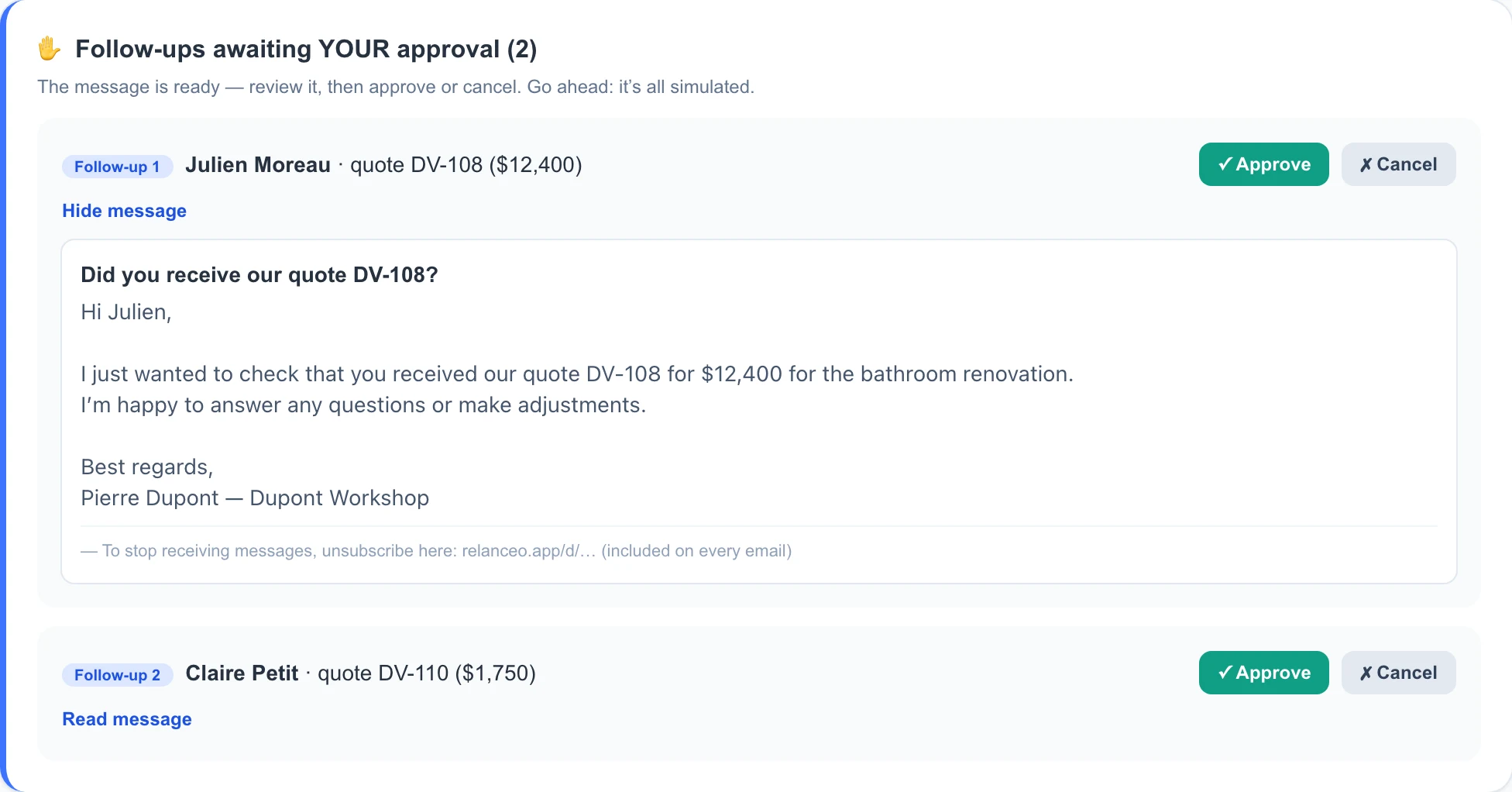
Whatever the service, Lienzor prepares and you decide. The message is written, dated and ready. You read it, you edit it, you approve it. Or you let it run on its own, once you trust it.
The public demo shows this on estimate follow-ups, but the approval mechanism is identical for reviews, campaigns and referrals.
Four things that go wrong with sending
Sending from a tool's domain
Unfamiliar sender, promotions tab, unopened. Your own address is the whole point.
Letting replies land somewhere you never look
A customer who answers and hears nothing back is worse off than one you never contacted.
Connecting a mailbox nobody uses
Connect the address your customers actually recognize, not one created for the occasion.
Assuming a connection is required
It is not. Plenty of people run the whole thing from an import, and it works.
When to connect your mailbox
The day manually marking who replied becomes the thing you forget to do. That is the point where the connection stops being a convenience and starts preventing mistakes.
- You send enough follow-ups that tracking replies by hand slips
- You have already chased someone who had answered days earlier
- You want the sequence to stop on its own the moment a customer responds
- You use Gmail or Outlook as your real working inbox
Quand ce n'est pas utile. If handing over mailbox access is a hard no for you, that is a perfectly reasonable position. Use the import and keep the connection off. Nothing else changes.
What stays under your control
Access is revocable at any time, from your own account settings
Lienzor reads what it needs to match a reply to a customer, and nothing else
You can run the whole thing with no connection whatsoever
Nothing sends on your behalf until you have approved it
Frequently asked questions
Do I have to connect my mailbox?
No. Everything works without it. Connecting simply means replies get matched to the right customer automatically instead of you doing it.
What does Lienzor see in my inbox?
What it needs to tie a reply back to a conversation it started. It is not there to read your correspondence, and access is revocable at any moment.
Does Outlook work as well as Gmail?
Yes, both are standard connections.
What if I use a mailbox from my web host?
Use the SMTP option with your host's settings. That covers most cases.
Will follow-ups end up in the spam folder?
Sending from your own address, to people who asked you for an estimate, is the strongest thing working in your favor. That is precisely why Lienzor does not send from its own domain.
Works well alongside
Lienzor services all work off the same customer list, so switching this one on makes the next one more useful.

The first job you win back pays for years of Lienzor.
Gratuit pendant le lancement, sans carte bancaire. Rien ne part sans votre accord.